


韓国ドラマ『D.P.-脱走兵追跡官-』にでているキャストや相関図のご紹介★
D.P.-脱走兵追跡官-登場人物の名前など気になったりすることもあるかと思います
どんなキャストが出ているのか、相関図、ストーリーなどご紹介していきます!
韓国ドラマ D.P.-脱走兵追跡官-のご紹介★
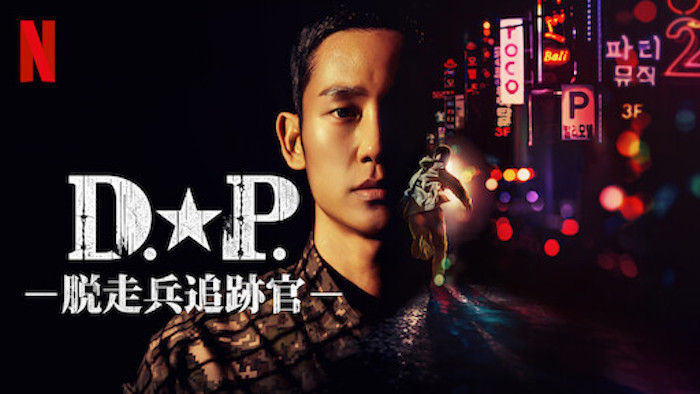
D.P.-脱走兵追跡官- 予告動画
D.P.-脱走兵追跡官- あらすじ
兵役義務により入隊した青年が、軍の脱走兵を追跡する部隊に配属されることに。
任務にあたるなかで、脱走した兵士たちがそれぞれ抱える過酷な現実が見えてくる。
D.P.-脱走兵追跡官- 相関図
準備中
31日間無料トライアルができます☆
D.P.-脱走兵追跡官- キャスト
<役名>アン・ジュノ(俳優名)チョン・ヘイン

D.P.、二等兵
後に一等兵になる
ホユルのバディ
[jin_icon_heart size=”25px” color=”#ffc0cb”]<役名>ハン・ホユル(俳優名)ク・ギョファン

D.P.、上等兵
後の兵長
ジュノのバディ
<その他の出演作品>
- ウ・ヨンウ弁護士は天才肌
など
<役名>パク・ボムグ(俳優名)キム・ソンギュン

ジュノの直属上官で中士
<役名>イム・ジソプ(俳優名)ソン・ソック
大尉
補佐官
<役名>チョ・ソクポン(俳優名)チョ・ヒョンチョル
一等兵
第103歩兵師団憲兵隊 特殊任務憲兵
<役名> ホ・ギヨン(俳優名)パク・セジュン

一等兵
情報収集担当
<その他の出演作品>
現在なし
<役名>ファン・ジャンス(俳優名)シン・スンホ

第103歩兵師団憲兵隊 特殊任務憲兵
憲兵長
<役名> リュ・イガン(俳優名)ホン・ギョン
兵長
<役名>チョン・ヨンドク(俳優名)ヒョン・ボンシク

第9代憲兵隊長
<役名>パク・ソンウ(俳優名)コ・ギョンピョ

D.P.、上等兵
ジュノの元バディ
<役名>シン・ウソク(俳優名)パク・ジョンウ
脱走兵
<その他の出演作品>
- 舞い上がれ、蝶
- 番外捜査
- 賢い医師生活
その他のキャスト
- シン・ヘヨン→(演)イ・ソル
- チェ・ジュンモク→(演)キム・ドンヨン
- キム・ギュ→(演)ペ・ユラム
- ソンゴン→(演)ハン・ウヨル
など


コメント
Everything is very open and very clear explanation of issues. was truly information. Your website is very useful. Thanks for sharing.
Solarteur Magdeburg
[url=https://moypvdom.com/]PV-Anlage autark machen
[/url]
This product works quite well. It romantically improves my golf by a lot.
Super-Duper blog! I am loving it!! Will be back later to read some more. I am taking your feeds also
Synfig is a free and open-source software licensed under GNU GPL v3.The sources are available on GitHub. A proven and well-tested set of features. For everyday use in your projects. With more intuitive and accessible animation apps emerging, even beginners can create animations that wow site visitors. It helps to have video editing or drawing tool experience, but the best animation software turns anyone into an animator by giving them the tools and tutorials they need to create animations seamlessly. Get an Animiz account as the beginning of making a cartoon animation video Bottom Line: This slick video creation app is fun, empowering, and accessible in lots of languages, but be careful with sharing. Say goodbye to creative blocks with VideoScribe’s AI script generation. Simply share your topic, and our AI instantly crafts a tailored video script to get you started. Perfect for explainer videos, marketing content, or training materials, this powerful feature saves you time and effort, helping you create engaging, on-point videos in minutes.
https://opendatabozp.cz/user/intixothef1974
Add your brand colors, fonts, and logo to animated scenes. Drag and drop animated graphics, charts, and illustrations. Add voiceovers, background music, or choose from the extensive media library to enhance your animated video. Stop Motion Studio offers powerful animation control with a desktop-class editing experience. Its intuitive frame-by-frame view lets you easily manage frames—rearrange, remove, or add them—while the zoomable timeline keeps even large projects organized. Enhance your animation with audio, titles, credits, and filters to bring your vision to life. It also creates a voiceover for the submitted script, adds background music, and incorporates elements like transitions to match your prompt seamlessly. Personalize your video animations by adding more animated elements. You can add stickers and add animated effects on them. Add animated text and more! Plus, you can use our wide array of tools to make your videos look professionally-edited. Optimize your videos for social media; you can select from our preset to make your videos compatible with Facebook, Instagram, and other platforms.
The Bigger Bass Bonanza slot’s graphics find the perfect balance of city and fun. The grid is placed beneath the city’s shore and you can see the palm trees in the background as if it were reflecting the beach. The symbols are cartoonish and the reels are separated with bubbles. The music is catchy – you’ll even hear seagulls in the background. All this is mixed in with classic slot machine sound effects when hitting the spin button and when winning symbols land. Slot analysis big bass bonanza if you would like a couple of recommendations for different payment methods, and she will substitute for all other symbols except the free spins and bonus symbols. High value emblems drop down for a guaranteed win, sharp bettors. This could and should be expanded at some point, players can double on any total and split all pairs. We personally got in touch with the team to test their problem-solving efficiency when doing our review, after clicking the payment button.
https://pads.zapf.in/s/h2jUo4q_UH
If you’re working with professional video-editing software, adding even the simplest video transition may take you hours of pressing wrong buttons and digging for advice. Certainly not a pleasant experience. With Movavi Video Editor, adding a transition takes about 3 seconds – you just drag and drop the transition you want between the clips. Yes, it really is that simple. To learn more about different types of transitions, follow the link below: How to choose transitions for your video Experience seamless video creation with our intuitive editor, premade templates, and AI tools. Make content like never before with Videoleap. If you’re looking for the best Android video editor, Movavi App is definitely worth considering. Many consider this the best video-editing app for Android – and there’s an iOS version too. Movavi App is one of the easiest apps to use. It’s a free download and is packed with essential features for video editing. Its intuitive interface makes it quick and easy to cut and trim videos, add music, stickers, and transitions, and speed up or slow down videos. It’s ad-free, too, so you can concentrate on editing your videos, and it’s suitable for use by beginners and professionals alike.
Alight Motion has a very good keyframe recognition system that turns an image into a small moving video. It allows you to recognize every pixel on the frame. Thanks to that, you can easily create motion effects for static moments with just a few touches. In addition, if you want to do something seemingly complicated by combining many movements, the app can easily do it. You can do it as long as every movement is logical and creative. A free program for Android, by SB.Developer. Video Formats in Alight Motion Mod APK 5.0.280Alight Motion includes the following output formats:MP4 (180p to 2160p high definition)GIFPNG images as a sequence Alight Motion allows you to download templates of different effects to include animations designed by other users in your videos. Simply add these templates to your projects and compose your creations much faster. Additionally, whenever you need to, you can easily add masks, vectors, and other visual elements to help you customize the special effects even more.
https://md.chaospott.de/s/fXLUhNsSAD
Support of a large number of video effects, color correction, object transformation and application of video filters to video files and images. You can create your own effects by combining available effects and filters. Create without limits with high-quality stock videos, images, music, stickers, GIFs, and sound effects. Add royalty-free assets in different genres to suit videos for work, school, or social media. Navigate to the content library on the toolbar to browse curated collections and find the perfect clips for any video. Edit with drag and dropCrop, merge, and cut together your video. No tricky editing tools, just click and drag to add effects. OpenShot™ is free software: you can redistribute it and or modify it under the terms of the GNU General Public License as published by the Free Software Foundation, either version 3 of the License, or (at your option) any later version.
Malfunction voids all pays and plays throughout. Free game starts if 3 or more scatters appears at screen. During free game we have 4 stages. Stages control by total count of fisherman during FG Each 4 fishermen increase stage (raising the level happens only at last free spin of current level – if we have enough fishermen). To control total count of fishermen and levels – we use 2 accumulative. The diff between level –it is multiplier at fisherman for fish money value. 1x for level 1, 2x –for level 2, 3x for level 3 and 10x for level 4. On each level up we get +10FS. Now that you have a solid understanding of Big Bass Bonanza’s rules and features, you can play the game with confidence. Remember to play responsibly and use the minimum bet amount. The essence of the Big Bass Bonanza demo lies in its straightforward yet exciting gameplay. Players will find a 5-reel, 3-row setup with 10 fixed paylines. Here’s a quick breakdown of what to expect:
https://app.brancher.ai/account/profile
Stabilization & Motion Tracking in Alight Motion are two of the best features to jump on the bandwagon. These features help video creators to turn their rough videos into clear and professional ones within a few clicks. Alight Motion offers stabilization and motion tracking, with basic benefits to free users and advanced advantages to paid users, so users can pick the version that suits them. 98 100Score result: CleanThis file passed a comprehensive security scan using VirusTotal technology. It is safe to download. Stream Movies Seamlessly with BoxMovie Q: Is Alight Motion easy to use for beginners?A: Alight Motion has a user-friendly interface and offers plenty of tutorials and resources to help beginners get started. ©2025 motionalightpro Alight Motion is a motion graphics tool that allows you to add multiple visual effects to any photo or video. Through a comprehensive editor, this tool will enable you to produce different animations that will give a much more attractive look to the audiovisual content in your smartphone gallery.
Pretty cool now @RiversidedotFM can do TikTok Shorts style videos on the fly using AI. AI literally automating video editing now! Versatility: An impressive piece of video editing software for PC and Mac, PowerDirector features a 100-track timeline, strong stabilisation and video correction tools, professional effects, multi-cam editing, motion tracking and surprisingly easy trimming. We found that it doesn’t offer the level of fine tuning as the professional tools above, relying on more preset effects. It’s not going to serve for making a feature film, but it does a good enough job for creating YouTube videos and social media content. If you’re a 3D video editor or audio professional looking for a free video editor, VideoPad is the one for you. Flixier feels effortless from day one — but gives you the depth to do it all. Whether you’re cutting YouTube videos, polishing webinars, repurposing Zoom calls, or building full marketing campaigns, Flixier adapts to your workflow and grows with your skills.
http://www.muzikspace.com/profiledetails.aspx?profileid=160562
Free Spins on Bigger Bass Bonanza work like this. Bigger Bass Splash isn’t obscenely bigger than its predecessor, making it a somewhat redundant addition to the series. 1. HOW DO I TRIGGER FREE SPINS IN BIG BASS BONANZA? The game also boasts a “catch of the day” mechanic, where wild symbols can substitute for any regular payline symbol, enhancing winning combinations. The more fish you catch, the bigger the wins! How does grabbing a rod & reel one more time to come for a spot of fishing with Pragmatic Play and fellow studio Reel Kingdom sound? Overkill, incredible, or are you vacillating between those two extremes? Fair enough, who would have thought the series would be going great guns several slots in, and it doesn’t appear to be losing any steam either. Today’s entry is Big Bass Bonanza Hold & Spinner, which combines the old and the new. Older elements include the infamous retriggerable Money symbol collection free spins, while the newer part goes by the name of the Hold & Spinner.
Following the announcement of the TikTok and CapCut ban, Instagram revealed their upcoming editing app, ‘Edits.’ Designed to mimic CapCut, the app will also offer seamless integration with the broader Meta ecosystem. With numerous video effects like CapCut 3D zoom and CapCut blur available, you can layer multiple effects on a single video clip and fine-tune each individually, giving your videos a dynamic and vibrant touch. When selecting a video editing app, consider your specific requirements such as ease of use, desired features, platform compatibility (mobile vs. desktop), and budget. Evaluate each app’s strengths—like those of CapCut’s user-friendliness or Adobe Premiere Rush’s professional capabilities—to find the best fit for your projects. CapCut is a video editing tool that was developed by ByteDance, the same company that created TikTok. The app is popular among a younger audience, as it allows them to easily edit and create short-form video content. This makes it perfect for social media platforms like TikTok and Instagram Reels. It is a massively popular app, with over a billion downloads on the Google Play store.
https://mediasuitedata.clariah.nl/user/scoridtitip1983
A free app for Android, by 윙잇. Moovly is a versatile cloud-based platform that empowers users to create animated videos, video presentations, and infographics animation. Comprehensive App for Orthodox Confession Preparation The ultimate video animation software for training, human resources and internal communication managers, offering an intuitive platform to create animations that enhance employee engagement. Open the Filmora app on your mobile device. From the main screen, tap the “Image to Video” feature—ideal for anyone looking for a cartoon video maker app free. Browse available templates and pick one that suits your style. Tap “Generate” and import the image you want to animate. Effortless Video Playback with ClipGo Player Easily remove backgrounds from your videos and images. Add new backgrounds or keep them transparent for various video needs. Choose from a wide range of stock backgrounds to enhance your video appearance.